1. If Statement
- IF statement is a conditional branching statement.
- In 'IF' statement, if the condition is true a group of statement is executed. And if the condition is false, the following statement is skipped.
Syntax : If statement
if(condition)
{
//Statement 1;
//Statement 2;
}
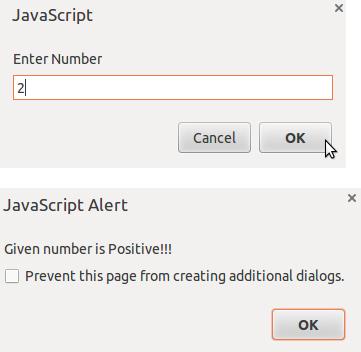
Example : Simple Program for IF Statement
<html>
<body>
<script type="text/javascript">
var num = prompt("Enter Number");
if (num > 0)
{
alert("Given number is Positive!!!");
}
</script>
</body>
</html>
Output:
2. If – Else Statement
- If – Else is a two-way decision statement.
- It is used to make decisions and execute statements conditionally.
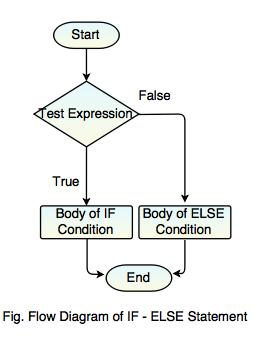
Syntax : If-Else statement
if (condition)
{
//Statement 1;
}
else if(condition)
{
//Statement 2;
}
else
{
//Statement 3;
}
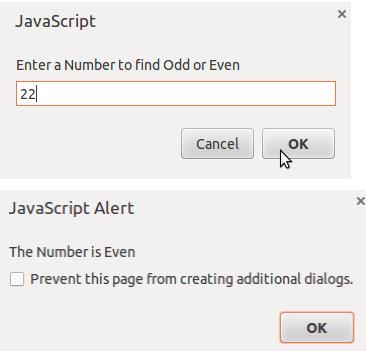
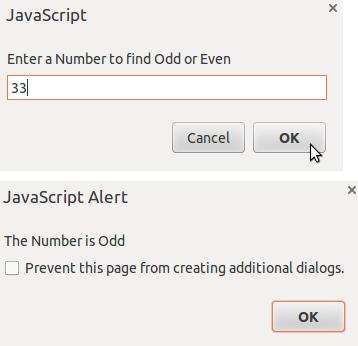
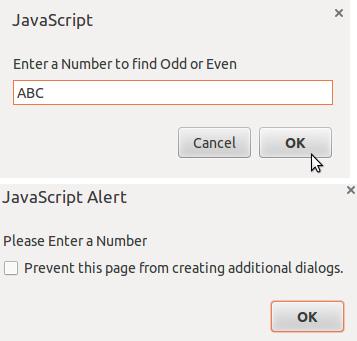
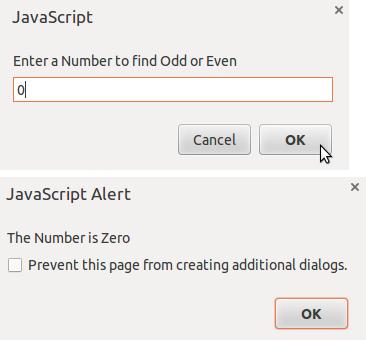
Example : Simple Program for If-Else Statement
<html>
<head>
<script type="text/javascript">
var no = prompt("Enter a Number to find Odd or Even");
no = parseInt(no);
if (isNaN(no))
{
alert("Please Enter a Number");
}
else if (no == 0)
{
alert("The Number is Zero");
}
else if (no % 2)
{
alert("The Number is Odd");
}
else
{
alert("The Number is Even");
}
</script>
</head>
</html>
Output:
3. Switch Statement
- Switch is used to perform different actions on different conditions.
- It is used to compare the same expression to several different values.
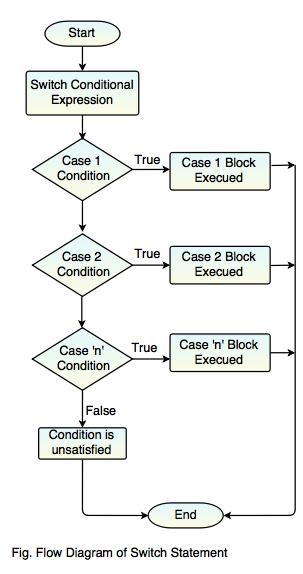
Syntax
switch(expression)
{
case condition 1:
//Statements;
break;
case condition 2:
//Statements;
break;
case condition 3:
//Statements;
break;
.
.
case condition n:
//Statements;
break;
default:
//Statement;
}
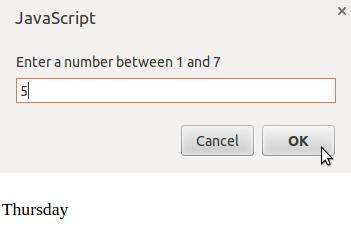
Example : Simple Program for Switch Statement
<html>
<head>
<script type="text/javascript">
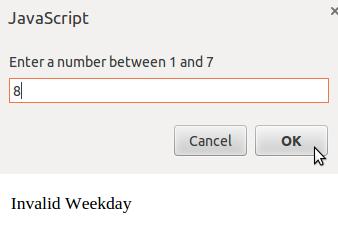
var day = prompt("Enter a number between 1 and 7");
switch (day)
{
case (day="1"):
document.write("Sunday");
break;
case (day="2"):
document.write("Monday");
break;
case (day="3"):
document.write("Tuesday");
break;
case (day="4"):
document.write("Wednesday");
break;
case (day="5"):
document.write("Thursday");
break;
case (day="6"):
document.write("Friday");
break;
case (day="7"):
document.write("Saturday");
break;
default:
document.write("Invalid Weekday");
break;
}
</script>
</head>
</html>
Output:
4. For Loop
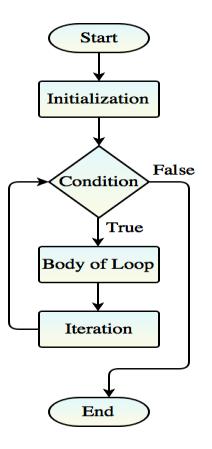
- For loop is a compact form of looping.
- All these three parts come in a single line separated by semicolons(;).
It includes three important parts:
1. Loop Initialization
2. Test Condition
3. Iteration
Syntax
for(initialization; test-condition; increment/decrement)
{
//Statements;
}
Example : Palindrome Program using For Loop
<html>
<body>
<script type="text/javascript">
function palindrome()
{
var revstr = " ";
var strr = document.getElementById("strr").value;
var i = strr.length;
for(var j=i; j>=0; j--)
{
revstr = revstr+strr.charAt(j);
}
if(strr == revstr)
{
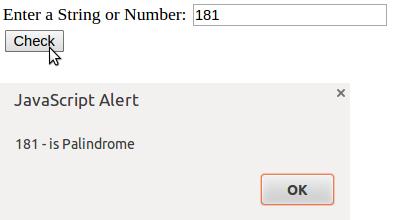
alert(strr+" - is Palindrome");
}
else
{
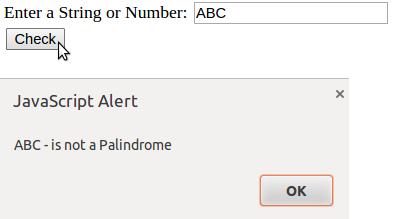
alert(strr+" - is not a Palindrome");
}
}
</script>
<form>
Enter a String or Number: <input type="text" id="strr" name="checkpalindrome"><br>
<input type="submit" value="Check" onclick="palindrome();">
</form>
</body>
</html>
Output:
5. For-in Loop
- For-in loop is used to traverse all the properties of an object.
- It is designed for looping through arrays.
Syntax
for (variable_name in Object)
{
//Statements;
}
6. While Loop
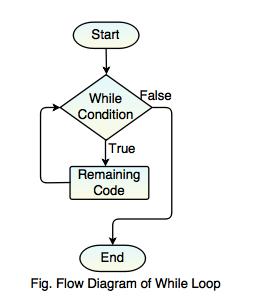
- While loop is an entry-controlled loop statement.
- It is the most basic loop in JavaScript.
- It executes a statement repeatedly as long as expression is true.
- Once the expression becomes false, the loop terminates.
Syntax
while (condition)
{
//Statements;
}
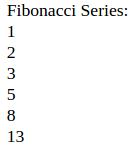
Example : Fibonacci Series Program using While Loop
<html>
<body>
<script type="text/javascript">
var no1=0,no2=1,no3=0;
document.write("Fibonacci Series:"+"<br>");
while (no2<=10)
{
no3 = no1+no2;
no1 = no2;
no2 = no3;
document.write(no3+"<br>");
}
</script>
</body>
</html>
Output:
7. Do-While Loop
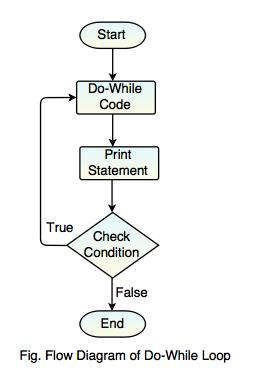
- Do-While loop is an exit-controlled loop statement.
- Similar to the While loop, the only difference is condition will be checked at the end of the loop.
- The loop is executed at least once, even if the condition is false.
Syntax
do
{
//Statements;
}
while(condition);
Example : Simple Program on Do-While Loop
<html>
<body>
<script type ="text/javascript">
var i = 0;
do
{
document.write(i+"<br>")
i++;
}
while (i <= 5)
</script>
</body>
</html>
Output:
0
1
2
3
4
5
Difference between While Loop and Do – While Loop
| While Loop | Do – While Loop |
|---|---|
| In while loop, first it checks the condition and then executes the program. | In Do – While loop, first it executes the program and then checks the condition. |
| It is an entry – controlled loop. | It is an exit – controlled loop. |
| The condition will come before the body. | The condition will come after the body. |
| If the condition is false, then it terminates the loop. | It runs at least once, even though the conditional is false. |
| It is a counter-controlled loop. | It is a iterative control loop. |
8. Break Statement
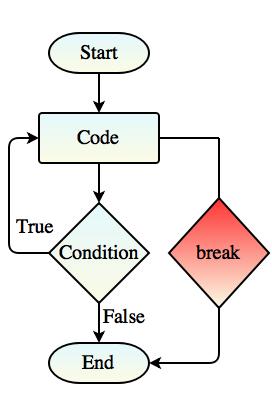
- Break statement is used to jump out of a loop.
- It is used to exit a loop early, breaking out of the enclosing curly braces.
break;
Flow Diagram of Break Statement
9. Continue Statement
- Continue statement causes the loop to continue with the next iteration.
- It skips the remaining code block.
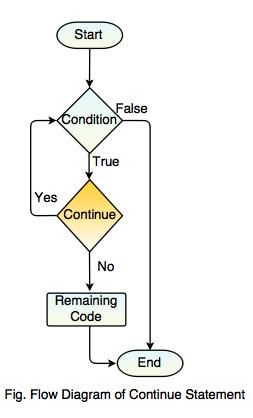
Syntax:
continue;